
Quick answer: A U-arm system rarely stops because of one dramatic failure — it stops because a small part is missing, a response time was never defined, or nobody knew which engineer to call. Downtime is not the cost of a repair; it is the cost of an idle room, rescheduled patients, and staff working around a machine they depend on. The practical preparation has three parts: agree a written tiered spare-parts plan, put measurable service terms into the contract, and rehearse a first-hour procedure and a patient-flow fallback. This article gives you the parts tiers, the contract lines, and the questions to ask before anything breaks.
Buying conversations about U-arm systems concentrate on geometry, detector pairing, and room fit. Those decisions are visible and easy to compare. What usually goes unexamined is the operational question that appears a year later: when the system stops, how long is the room out, and who has the part? A U-arm is a moving system — the tube head travels, the column rotates, the detector holder tracks, and the whole chain depends on cables, locks, presets, and software that all have to keep agreeing with each other. That is why a service plan for a U-arm is not the same as a service plan for a static stand. This article is about the resources and the paperwork that decide recovery speed, not about troubleshooting the mechanics.
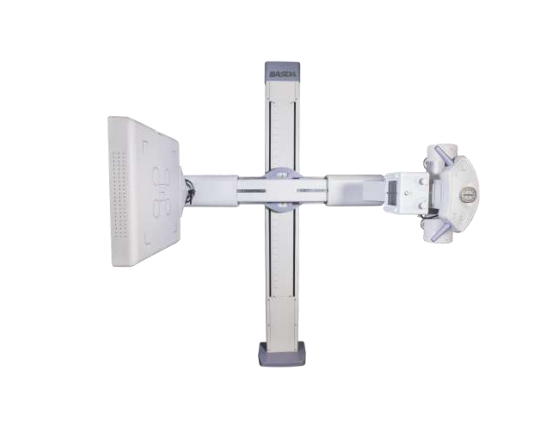
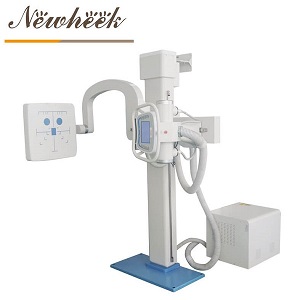
A U-arm seen from above. The tube head, rotating column, and detector holder move together — so a service plan has to cover the chain, not just one component.
The invoice from a service visit is the smallest, most visible part of a downtime event. The larger costs sit in the clinic’s schedule:
None of this requires a number to be useful. It only requires that procurement and clinical leadership agree on one point before purchase: how long can this room realistically be unavailable? That answer, not the price of a spare part, sets the required service level.
Without going into component specifications or repair procedures, it helps to sort the common interruption points into groups, because each group implies a different spare-parts and response strategy:
| Group | Typical symptom the operator notices | What the service plan needs |
|---|---|---|
| Motion and locking | A movement hesitates, a preset does not reach its usual position, or a lock behaves inconsistently | Remote diagnostics, an engineer who knows the kinematics, and agreed escalation |
| Cables and cable management | Intermittent faults that appear only at certain positions | A defined inspection routine and the right harness available as a spare |
| Controls and presets | Console errors, lost presets, or behavior that changes after an update | Software support terms, backup of configuration, and a documented restore path |
| Beam-limiting components | Light-field or field-size complaints | Access to the relevant accessory and alignment checks — see our U-arm collimator page |
| Detector-side chain | Image changes that look mechanical but are not | A clear diagnostic boundary with the detector supplier, so the right engineer is called first |
| Software and connectivity | Images not arriving, worklist or study data failing | Named responsibility between the system, network, and imaging IT teams |
The last two rows are where delays multiply: if nobody has agreed who owns the boundary between the U-arm, the detector, and the network, the first service visit can be spent establishing that instead of fixing anything. The tube-to-detector auto-tracking guide explains why these subsystems have to stay in agreement; the service contract should say who is responsible when they do not.
“Do you have spare parts?” is a yes-or-no question that produces a useless answer. Ask instead which parts sit at which tier, who owns each tier, and how long each tier takes to reach your room.
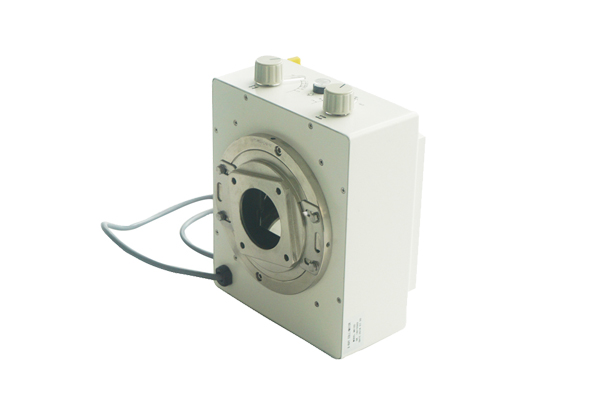
Accessories and beam-limiting components are a good example of parts whose availability should be agreed in writing, not assumed.
| Tier | What belongs here | What to ask in writing |
|---|---|---|
| Tier 1 · Ships with the system | Commissioning consumables, fuses and small hardware, documentation, backup of configuration | Itemized list, where it is stored on site, and who signs for it at handover |
| Tier 2 · Kept at your facility | The consumables and small wear items your own staff are permitted to replace | Which replacements the warranty allows staff to perform, and what training or tools they require |
| Tier 3 · Held by the supplier | Assemblies that require an engineer, calibration, or alignment after replacement | Which depot holds them, dispatch process, and how discontinued parts are handled |
Two clauses matter more than the list itself. First, who owns the inventory — a part sitting in a regional warehouse that nobody has committed to your contract is not a spare part, it is stock. Second, what happens when a part is discontinued: ask for a written notification period and a supported replacement path, because a system can be mechanically sound and still be unusable if a single obsolete assembly cannot be sourced.
Response language in a contract is often written in ways that sound reassuring and mean very little. “Prompt response” is not a specification. Ask for each of the following to be defined in measurable, written terms before signature:
Ask for the documentation to arrive with the system as well — test records, conformance statements, and the service and warranty terms belong in the same file. Our guide to the compliance files a U-arm system should ship with covers that handover in detail. A contract term you cannot find six months later is not a term you can rely on.
The fastest recoveries usually start with a calm, boring first hour. A short posted procedure is worth more than a heroic individual:
That last point is where this article meets routine quality control. A monthly constancy routine tells you that something is drifting and gives you a trend to report; this article is about what happens after the call is made — the parts, the contract, and the plan that bring the room back. Our site also has a short piece on regular U-arm maintenance for the routine side; the specific permissions and intervals for your system always come from its own documentation.
Service terms reduce downtime; they do not eliminate it. A clinical fallback should exist before it is needed, and it should be simple enough to run on a busy morning:
The restart checklist is easy to forget and worth insisting on. A system that has been opened, adjusted, or updated should be treated like a system being commissioned again, not simply switched back on.
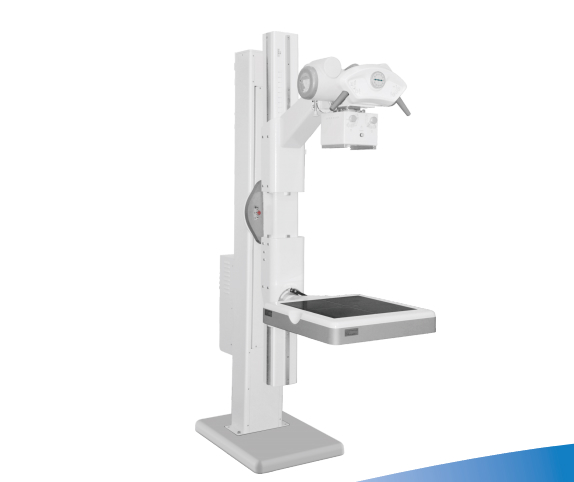
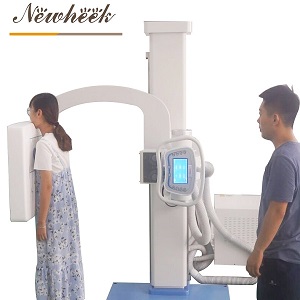
A U-arm system in its working configuration. Restoring that configuration after a repair deserves the same sign-off as the original installation.
Keep this as a one-page annex to the purchase documents. It is deliberately about service and parts, not about the hands-on acceptance tests covered elsewhere on this site, such as the trial protocol in our motorized versus manual stand comparison.
| Line | What it fixes |
|---|---|
| Named service channel and escalation contact | No time lost finding the right number |
| Definition of response time, by severity class | Removes “prompt” ambiguity |
| Remote diagnostic scope, authorization, and data handling | Faster first diagnosis, clear network boundaries |
| On-site attendance commitment and travel terms | Sets the real recovery clock |
| Tiered spare-parts list with ownership and dispatch process | Turns “we have parts” into an obligation |
| Discontinued-part notification and supported replacement path | Protects the system’s later years |
| Software/firmware support period, backup and restore procedure | Prevents configuration loss after updates |
| Preventive maintenance scope, report format, and restart sign-off | Closes the loop between maintenance and downtime |
Ask for the same lines to be consistent with the room and power documentation you already hold — the U-arm room requirements guide is a useful cross-check when a service visit assumes site conditions that were never confirmed. Contracts and commissioning records should describe the same installation.
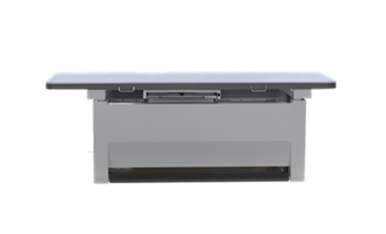
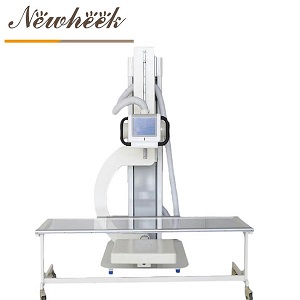
Tables, stands, and the U-arm itself are separate subsystems with separate service boundaries — worth naming explicitly in the contract.
Some, but only the ones your documentation explicitly permits your own staff to replace. Everything else belongs with the supplier under a written dispatch commitment. Stocking assemblies that require calibration or alignment after replacement usually creates more problems than it solves.
One that defines what starts and stops the clock, separates acknowledgement from remote diagnosis and on-site attendance, and distinguishes a room that is fully down from a minor fault. Ask for the definitions in writing rather than accepting a single headline number.
It depends on the supplier and the site, and it should never be assumed. Ask whether one is available at all, under what conditions, who handles installation and commissioning, and what the fallback is if it is not. A written patient-flow plan is valuable precisely because a temporary unit may not be.
Keep the receiving records, commissioning documents, maintenance reports, and the event log together, and make sure the warranty wording names the environmental and handling conditions it assumes. Documentation produced at the time is far more useful than recollection months later.
Treat it like commissioning: confirm the room, verify the checks your QC procedure requires, record the return to service, and keep the report with the maintenance file. Image-quality or alignment checks should follow the manufacturer’s procedure rather than an informal look at one image.
Planning a U-arm purchase or reviewing the service terms on an existing system? Tell us how many rooms depend on it and what downtime your schedule can absorb, and we will put the relevant questions in writing:
Email: admin@newheek.cn
Phone/WhatsApp: +86 19062611512 (WhatsApp chat)
Or leave a message on our contact page and we will help you assemble a spare-parts and service checklist for your configuration.
Tel: +86 19062611512
Email : admin@newheek.cn
Company : Weifang Newheek Electronic Technology Co., Ltd.