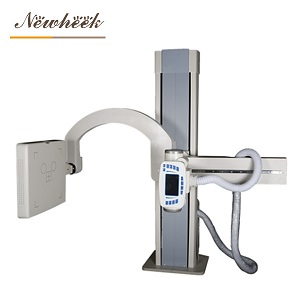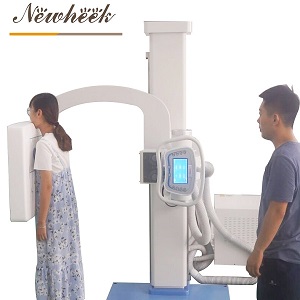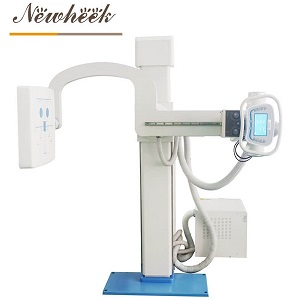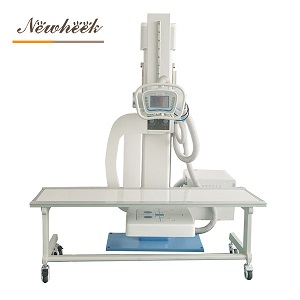

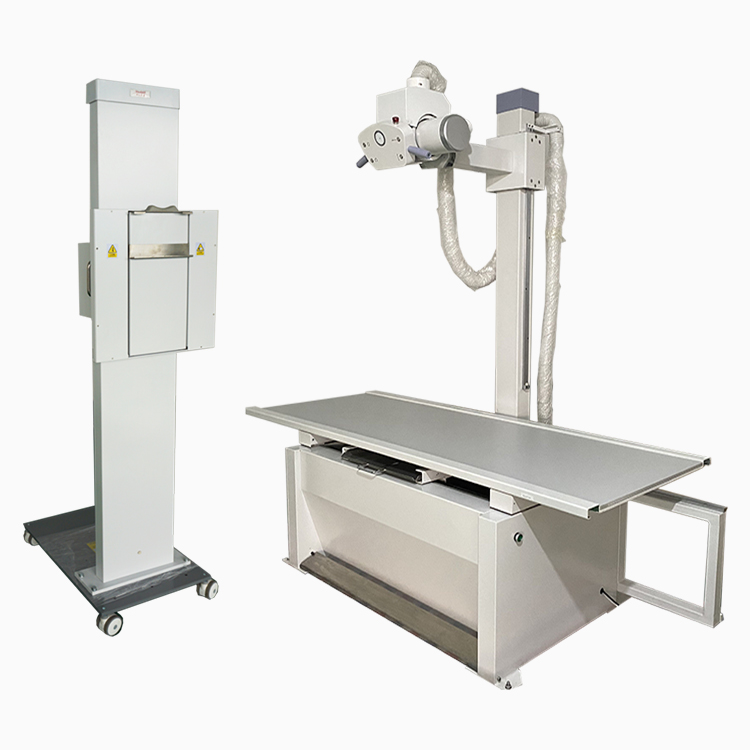
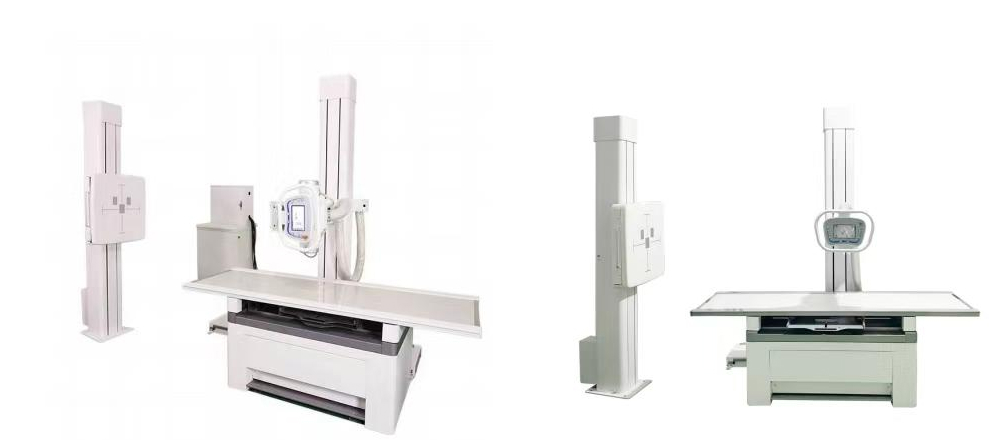
a double-column (two-column, floor-mounted) X-ray room puts the X-ray tube on one floor-standing column and the wall bucky on a second column, with the radiographic table between them. The room anatomy has not changed much in decades. What changed in 2026 is where the automation sits inside it. The real purchasing question is no longer “double-column or not” but which motion tier you are buying: manual (people move everything), motorised (motors move the columns on your command), or auto-tracking (the system aligns tube, table and wall bucky by itself once you pick the exam). Market research puts automatic-positioning systems at roughly two-thirds of the floor-mounted segment this year, yet manual and motorised rooms are still being installed worldwide — because each tier buys a different mix of budget, consistency and throughput. This article separates what each tier actually does from what vendors imply it does, and ends with the eight questions that keep the difference honest.
Three things happened over the past year that pushed automation from “nice option” to active specification line:
Market analysis of floor-mounted digital radiography systems published in 2026 estimates that automatic-positioning systems account for roughly 65% of a segment valued around USD 1.3 billion, with the balance still held by manual configurations (Archive Market Research, 2026). Read that carefully: the majority of new floor-mounted rooms now ship with some level of motorised or automated movement. If your tender or budget comparison is still priced against a fully manual baseline, you may be comparing against a configuration your peers have already moved past.
The same analysis reports that dose-reduction capability is a key purchasing driver for about 60% of clinics, and that automatic exposure control plus image post-processing can cut retake rates by an estimated 10–15%. Those two numbers matter here because retakes are not only a dose problem — every repeat exposure consumes room time, and room time is the currency a double-column room was built to protect.
At the spring 2026 CMEF exhibition in China, leading domestic manufacturers demonstrated “AI agent” DR concepts in which double-column full-size DR rooms perform guided positioning, technique selection and quality checks as one connected workflow rather than as separate mechanical parts. Whatever you think of the marketing language, the direction is clear: the column, the table and the wall bucky are being sold as a synchronized system — and buyers should evaluate them as one.
A double-column DR room has four moving parts that matter for this decision:
The automation tier you buy determines who moves each of those parts: a person, a motor under a person’s command, or the system itself. That is the entire ladder. Nothing in the tier description says anything about image quality — a manual room with a good generator and detector can match an automated room pixel for pixel. The tiers buy consistency, operator workload and throughput, not resolution.
| Dimension | Manual | Motorised | Auto-tracking |
|---|---|---|---|
| Who moves the tube column | The technologist, by hand | Motors, on the technologist’s command | The system, after the exam is selected |
| Who aligns tube to table bucky / wall bucky | The technologist, every time | The technologist, assisted by powered travel | The system tracks the selected detector center |
| Consistency across operators | Depends entirely on technique and habit | Better — travel is repeatable, centering is still manual | Highest — alignment no longer depends on the person |
| Best fit | Low exam volume, tight budget, stable staff | Medium volume, mixed staff, growing list | High volume, staff turnover, heavy routine workload (chest, spine, ortho series) |
| What you must verify in the RFQ | Lock quality and ergonomics of every joint | Which axes are motorised — all, or only some | What “tracking” covers — and what it does not |
A manual double-column room is not a compromise product; it is a complete product. Published product lines still document manual universal systems with a bucky table and wall stand aimed at exactly the standard workload — chest, limbs, pelvis, lumbar spine — and their stated selling points are honest ones: low maintenance cost and a straightforward mechanical inventory. The real risks of the manual tier are operational, not technical: alignment quality varies with the operator, and a busy room feels the friction of hand-positioning on every single exam. If your volume is modest and your staff is stable, the manual tier remains the most defensible budget choice.
The motorised tier adds powered movement to the columns. This is the tier where many published configurations — including a 500 mA motorised universal system with bucky table and wall stand in current product documentation — sit today. What motors change is effort and repeatability of travel: the technologist commands the movement instead of pushing hardware, and every positioning starts from a smoother, more repeatable approach. What motors do not change is the judgment step: the technologist still decides where “correct” is and confirms the centering. When you specify this tier, the critical question is scope — which axes are motorised. A “motorised” room where only the tube column travels on power, while the wall bucky and table are hand-cranked, is a very different product from one where all three move. Get the axis list in writing. (For the wall-stand half of that decision specifically, see our motorised vs. manual bucky stand analysis.)
Auto-tracking closes the loop: select the exam and detector, and the system drives the tube column, and in fuller implementations the table bucky and wall stand as well, into aligned positions for that projection. (We unpack the tracking concept in depth for the U-arm’s wall stand in our 2026 tube-to-bucky auto-tracking guide — a different system family, but the same scrutiny applies.) Published workflow analyses of automated-technique DR rooms report room-time reductions in the range of 15–30% per exam in high-volume settings, which is where the throughput case comes from. But the specification language deserves scrutiny, because “auto-tracking” is not one feature. The questions that separate a real tracking implementation from a partial one are in the checklist below — and the same scrutiny applies to the AI-flavored positioning assistance now appearing at trade shows: useful when verified, marketing when not.
For transparency: the product pages currently published on this site document both a manual and a motorised universal X-ray system with bucky table and wall stand (the motorised configuration is documented at a 500 mA generator rating), both built around an a-Si flat panel detector and an image workstation for real-time acquisition, processing and transfer, with stated examination coverage of chest, limbs, pelvic cavity and lumbar spine. Configurations evolve — if auto-positioning options matter to your project, ask what is current rather than assuming from an older quotation. What we will not do is describe automation tiers we cannot document for the specific system you are buying; that discipline is exactly what the checklist below is designed to enforce on every quotation you receive, from any vendor.
Whatever tier a quotation claims, these eight questions convert the claim into something you can accept or reject on paper:
No. The two formats trade different advantages — the U-arm compresses tube and detector into one articulated arm around a single column, while the double-column room separates the tube column from the wall bucky and adds a dedicated table bucky, which many high-volume general rooms still prefer. We cover the layout-level decision separately in our U-arm vs. floor-mount room comparison and in a dedicated U-arm vs. double-column difference guide. The automation ladder in this article applies to the double-column format itself.
In many cases yes — detector replacement is a well-established retrofit path, and it is usually far cheaper than a new room. Motorising the columns afterwards is a different matter: it is a mechanical and control-system change, not a software toggle. Our overview of upgrading an X-ray machine to digital DR walks through the realistic options. If you buy manual today while planning a future retrofit, buy the room with that path in mind.
No — and a vendor who implies so is telling you they have not watched their own system in a busy room. The patient still has to be positioned, instructed and immobilised where necessary; the system only handles the mechanical alignment that follows from that positioning. Published workflow analyses credit automation with meaningful time savings, but the savings come from removing repetition, not people.
For low-volume sites with a tight budget and stable staff, yes — the format is complete, maintenance is simpler, and every automation tier is priced above it (market analysis puts automatic-positioning configurations at a typical premium in the tens of percent over manual). What you give up is consistency across operators and headroom for growth. Buy manual deliberately, not by default.
There is no honest universal number, because throughput depends on exam mix, patient mobility and staffing far more than on the columns. Published market analysis estimates automated systems support on the order of 15–20% more patients per hour in high-volume clinics, but treat any per-hour figure — including ours if we ever quote one — as a claim to be verified against your own exam list during acceptance testing, not as a specification.
The double-column room is not competing with the future; it is the chassis the future is being installed into. Your job as a buyer is to pin down which motion tier you are actually being quoted — manual, motorised, or auto-tracking — and to make the eight checklist questions part of the written offer. The tier you choose should be decided by your exam volume and staff reality, not by whichever adjective is fashionable this year.
Planning a double-column DR room and want the automation tier specified honestly? Email admin@newheek.cn or WhatsApp +86 19062611512 — tell us your room dimensions, daily exam list and the workflows you need covered, and we will match the configuration to the workload instead of the brochure.
Tel: +86 19062611512
Email : admin@newheek.cn
Company : Weifang Newheek Electronic Technology Co., Ltd.