
The most important day of your U-arm purchase is not the day you order it. It is the day the crate shows up — and the 48 hours that follow. Photograph the packaging before you sign anything, check contents against the packing list before the truck leaves, remove every shipping restraint before you power on, and do the first exposure on a phantom, not a patient. Most problems that turn into disputes were visible on day one; they just weren’t documented on day one.
There is a moment every buyer of an imported X-ray machine knows, and no brochure prepares you for it: the truck pulls up, the driver hands you a clipboard, and three people who have never seen your new machine stand around a wooden crate the size of a wardrobe, deciding whether to sign.
Signing is fine. Signing before you look is the expensive part. Whatever happens after that signature — a scuffed column, a missing hand switch, a cracked castor — becomes much harder to sort out, because on paper the machine arrived complete. This article is about the 48 hours that protect the year after: what to check, in what order, and what to send back to the supplier while everyone still remembers the delivery.
You do not need to be an engineer to receive a machine well. You need to be a photographer.
While the crate is still on the truck or the tail lift, take photos of all six sides. Take a short video walking around it. Look for the boring things: crush marks, water staining, a puncture near the base where a fork went in at the wrong angle, straps that have shifted, a wooden panel that looks like it has been opened and re-nailed. If the crate sits on a pallet, photograph the pallet too.
If you find damage, write it on the delivery note before signing — “crate damaged on left side, photographed” is enough — and have the driver counter-sign. This takes two minutes. It is the difference between a supplier shipping you a replacement part and an insurance conversation where everyone shrugs.
None of this means you distrust your supplier. Good suppliers want this documentation too; it protects them from carrier damage being blamed on their factory. Think of it as doing their paperwork for them.
Once the crate is inside — and if you followed the pre-delivery room survey, you already know it fits through every door — open it properly. That means:
Open the top panel first. Machines shipped in crates are usually fixed to a base frame and wrapped in foam; the accessories box (cables, hand switches, manuals, small parts) usually sits on top or beside the column. Take the accessories box out and put it aside, unopened, until the big items are accounted for. If you open it first, the small parts migrate around the room and never come back.
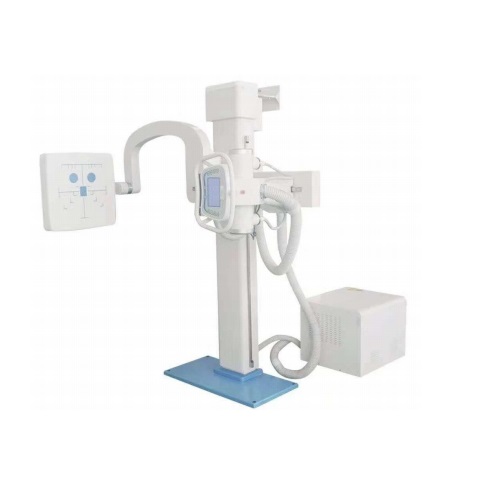
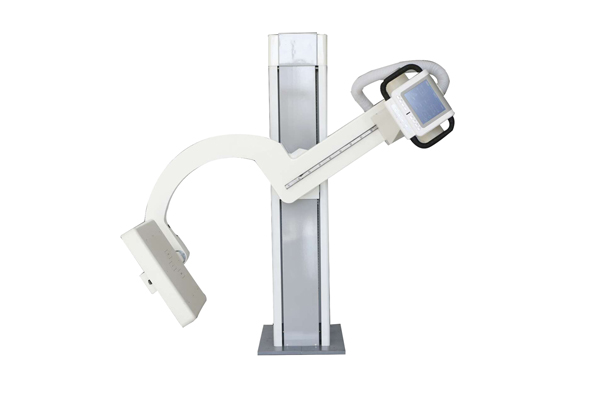
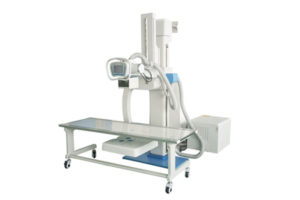
Then unpack top-down, and check each main item against the packing list as it comes out: the column, the U-arm assembly, the tube housing, the collimator, the detector or bucky if ordered, the generator cabinet, the base. Tick the list. Don’t tick from memory — tick from the object being in your hand.
Photograph each item as it is unwrapped, especially any that show scuffs. Nine times out of ten it is packing foam residue or a transport mark that wipes off. The tenth time, that photo is your claim.
Somewhere in that crate are three lists, and in the first 48 hours they need to tell the same story:
The packing list — what physically shipped. Your order confirmation — what you actually bought. The configuration sheet — which options and accessories were agreed.
Walk through them together. The classic mismatches are small and expensive: one hand switch ordered, one shipped, but you thought it was two. A cable for a detector that was later upgraded. A manual in the wrong language. A spare fuse kit that never made it into the crate. None of these are arguments — they are just emails that are much easier to send in week one than in month four.
While you are at it, find the nameplate on the machine and check the voltage setting matches your supply before anything gets plugged in. Your supplier will have built it to your market, but verifying takes ten seconds and prevents the kind of mistake that makes a generator very quiet and very dead. (We have a separate article on what the power supply side involves — link below.)
This is the single most common day-one mistake, so it gets its own section.
During transport, moving parts are locked: the U-arm may be strapped or bolted to the column, rotation axes may have transport bolts, castors may be chocked. These restraints are there so the machine arrives intact — and they must all come off before you operate anything.
Powering a machine on with a transport bolt still in place is how you get either an alarm you cannot explain or, in the unlucky version, a motor that fights a bolt it was never meant to fight. If the manual lists the restraints, walk the list. If it doesn’t, ask the supplier’s engineer to point out every one of them during the remote or on-site commissioning call — and film the answer so the next person doesn’t have to ask.
Only when the arm moves freely by hand (where it is meant to) and nothing on the machine looks strapped, blocked or bolted, is it ready for power.
First power-on should be boring. That is the goal.
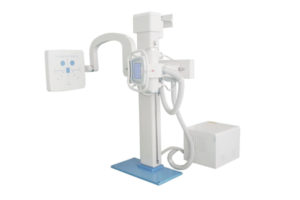
Power up, let it boot, and just watch. Listen for anything that sounds wrong — a hum that pulses, a relay that clicks endlessly. Then exercise every motion through its full range with nobody near the machine: raise and lower the arm, rotate it, lock and release the brakes, roll the base a short distance and set the brakes again. Nothing should grind, stick or stop halfway.
If the machine is motorized, run each motor function gently the first time. If anything jerks or stalls, stop and call — do not “try again harder”. Machines shipped upright for weeks sometimes need nothing more than the first few cycles to settle, but you want the supplier’s engineer on the call for that conversation, not after something strips.
Then, and only then, the first exposure — on a phantom or even a stack of uniform material, never a patient. You are not judging image quality that day; you are confirming the chain works: exposure fires, image appears on the workstation, file stores where it should. Image tuning can take another session; a dead chain is what you are hunting for in the first 48 hours.
Email one: arrival confirmation. Photos of the unpacked machine, packing list ticked, everything accounted for. Two lines is fine. It starts the warranty clock on an honest footing and it tells your supplier the delivery went well.
Email two: the issue list. Anything damaged, missing or questionable, each with its photo and the delivery-note note attached. Even if it feels petty — a torn manual cover, a castor that squeaks — list it. Week one is when every issue is still cheap; month four is when it is a story.
Email three: the training request. Who on your staff will operate the machine, what they already know, and what they need covered. This email is what turns commissioning from a technician visit into actual training.
Signing clean with damage visible. Covered above, worth repeating: the delivery note is a legal-ish document whether you like it or not. Note what you see.
Opening the accessory box first. Small parts explore. Keep it closed until the count is done.
Powering on with restraints in place. The most common cause of day-one alarms that “spontaneously resolve” once someone finds the last bolt.
Skipping the full-range motion test. A machine that reaches every position today is a machine you can plan a room around. One that reaches everything except the position you need is a surprise you don’t want in week three.
Trusting the schedule over the checklist. Installation day pressure is real — patients booked, staff waiting. But the 48-hour checklist exists precisely because it is cheap on day one and expensive later. An hour of checking has rescued more budgets than any discount.
Q: The crate looks fine. Can I skip the photos?
You can, and you will regret it the one time in fifty that matters. Six photos and a video take three minutes. Keep them in the project folder next to the order confirmation.
Q: Who should do the installation — my team or the supplier’s engineer?
That depends on what you agreed when you bought. Some suppliers ship fully assembled and commission remotely; others send an engineer. What doesn’t change is the first-48-hours checklist: documentation, counting, restraints, first power-on, first exposure. Do those whoever holds the spanner.
Q: What if something is missing or damaged?
Report it immediately, with photos, referencing the delivery note. Do not attempt repairs on a new machine — unauthorized opening can affect warranty terms. A good supplier treats a well-documented week-one claim as routine; if yours treats it as an argument, that is useful information too.
Q: When can we start imaging patients?
After commissioning is complete and whoever is responsible confirms the machine is released for clinical use — typically after the first-exposure checks and any local regulatory steps your country requires. The 48-hour checklist is a prerequisite, not a substitute.
Receiving a machine well is mostly paperwork and patience — and it is also the cheapest insurance you will ever buy for the investment. If you want a delivery checklist tailored to the exact configuration you are ordering, tell us what’s in your order and we’ll send one back with your machine. +86 19062611512 (WhatsApp available), or reach us here — admin@newheek.cn.
Tel: +86 19062611512
Email : admin@newheek.cn
Company : Weifang Newheek Electronic Technology Co., Ltd.