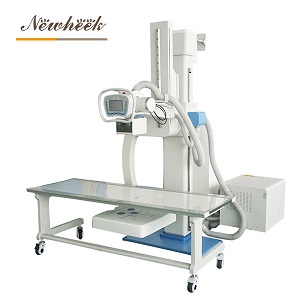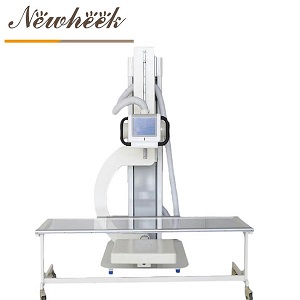

Quick answer: a U-arm DR is not one surface. The column and arm, the detector face, the console and the floor around the base each take a different cleaning approach, and the product that is safe on one can damage another. Get the written cleaning instruction for each part at the time of purchase, keep one cloth per zone, and treat the detector face as the part that needs the most care.
A U-arm is touched more than most fixed rooms suggest. The detector is positioned by hand, the arm is swung between standing and lying work, and the console takes input through a full caseload. Hair, skin contact and hand cream collect on those points long before the room looks dirty.
Cleaning a radiography room is not the same problem as cleaning a surgical theatre, but the difference between a wipe that is safe and one that clouds a detector cover is worth knowing before the bottle is opened. A written plan also settles a practical question that comes up in every clinic: which product goes on which surface.
Ask for the manufacturer’s written cleaning instruction for each part — column and arm finish, detector housing and face, console and cables, and any table or stand supplied with the system. A single sentence saying “clean with a soft cloth” is not enough to choose a disinfectant from.
Where an infection-control policy already exists, give the product list to the supplier and ask which items are compatible with the surfaces in that room. The answer should name what to avoid as well as what to use. Keep that exchange with the purchase documents so a new member of staff can find it later.
The painted or powder-coated structure tolerates a damp cloth and a mild neutral cleaner. Work from the top down so that liquid does not run into a joint already wiped, and pay attention to the underside of the arm where hands grip during positioning.
Do not pour cleaner along the rail or into the joint between the arm and the column. Liquid that reaches a bearing or a scale strip can leave a film that attracts dust and interferes with movement. A cloth that is damp rather than wet reaches the same surface without that risk.
The brake pedal and any lock release are touched with shoes or gloves and need their own wipe. Grit under a pedal is a small thing that becomes a sticky pedal after a few weeks.
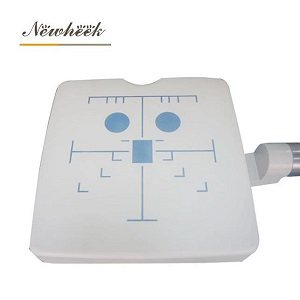
The detector face is the part where cleaning choice matters most. Use a soft, lint-free cloth and a product the detector manufacturer has named in writing. Wipe in one direction, let the surface dry on its own, and do not scrub at a mark that does not lift on the first pass.
Strong solvents, scouring pads and abrasive powders belong nowhere near the active face. A clouded cover or a damaged coating shows up as a repeated mark on images, and the cause is easy to miss when the cleaning happened days earlier. If a mark remains after a normal wipe, record where it sits on the face and ask the supplier rather than increasing the force.
A cracked or lifted cover should be reported before the detector goes back into service. Liquid that gets under a cover reaches parts outside the reach of a cloth.
Console keys, the hand switch and the exposure control are high-touch points. A wipe that is approved for the console surface can be used there, but liquid should not be directed at a seam or a connector. Spray onto the cloth, not onto the equipment.
Cables are easiest to clean when the machine is parked and the power is off. Wipe the length that is handled, then coil it loosely — a tight coil around a connector puts strain on the same place every day.
The precautions during use page covers handling habits that reduce how much cleaning the arm needs in the first place.
A table or upright stand supplied with the system has its own surface, often different from the arm. Follow the instruction for that part rather than assuming the arm’s product will do. Padding and straps take body contact and should be cleaned on a schedule of their own.
The floor around the base collects dust that gets drawn into the castors and the counterweight path. Keep it dry and free of loose material. Damp mopping directly under a moving arm is a poor idea; a cloth applied to the floor and picked up again is enough.
Do not let cleaning fluid pool where the base meets the floor. That edge is where the structure, the cables and the cleaning product would all meet, and none of them benefits from the contact.
High-touch points — detector face, hand switch, console and brake pedal — are wiped between patients or at defined intervals in a busy room. The arm and column follow a less frequent schedule, and the floor is handled as part of routine room cleaning. The exact interval belongs in the local policy, because caseload and infection-control rules differ.
A short log with the date, the area and the product used turns cleaning from a habit into something auditable. It also solves a common argument: if a mark on an image appeared after a wipe, the log shows which product was on that cloth.
The regular maintenance page deals with mechanical care; the sickle arm maintenance page covers the structure. Cleaning runs alongside both, not in place of either.
Not without checking. The arm finish and the detector cover are different materials, and a product safe on one can cloud or crack the other. Ask the supplier for a written compatibility list naming each part, and keep separate cloths for the two zones.
Stop using the affected movement, disconnect power only if the instruction allows it, and report the area and the amount of liquid to the service contact. Do not continue with an exposure to see whether the machine still works. A small amount at a joint is a service question, not a test.
No. Cleaning removes material from surfaces; maintenance checks movement, locks and image constancy. A clean arm can still drift out of alignment. The two schedules should be kept separate and each should have its own record.
Check the cleaning log first, then look at the detector face under good light for a film or a mark in the same position on every image. Report both observations together. Repeating wipes with a stronger product before the cause is known can add damage to the original problem.
The site’s infection-control lead and the equipment supplier, using the written surface list for the arm, detector, console and table. A product chosen from a general hospital list without that check can be unsuitable for a specific detector cover.
Phone / WhatsApp: +86 19062611512 | Email: admin@newheek.cn
Tel: +86 19062611512
Email : admin@newheek.cn
Company : Weifang Newheek Electronic Technology Co., Ltd.